
What is Pagination SEO? A Complete Guide for 2025
If you’ve ever browsed through an online store, a blog archive, or a forum, chances are you’ve encountered pagination. It’s that handy navigation system that breaks up long lists of content into multiple pages, usually marked as 1, 2, 3… Next. While it improves user experience, it also introduces unique challenges for SEO.
In this blog post, we’ll explain what Pagination SEO is, why it matters, and how to implement it properly to ensure your site remains search-engine friendly while providing a seamless experience for your users.
✅ What is Pagination?
Pagination is the process of dividing content across multiple pages. For example, a blog category page might list 10 posts per page and use pagination to link to subsequent pages:
www.example.com/blog?page=1
www.example.com/blog?page=2
www.example.com/blog?page=3
It’s especially useful for:
- Product listings on eCommerce websites
- Blog post archives
- Comment sections
- Forum threads
🔍 What is Pagination SEO?
Pagination SEO refers to the techniques used to ensure that paginated content is indexed properly by search engines without causing duplicate content issues or diluting page authority.
Improper pagination can lead to:
- Poor crawl efficiency
- Duplicate content
- Canonicalization issues
- Missed ranking opportunities
Search engines like Google need to understand that all these pages are part of a larger, unified content series. Pagination SEO ensures that this message is delivered clearly.
🧠 Why is Pagination Important for SEO?
Here’s why pagination matters:
- Crawl Budget Optimization
Search engines allocate a crawl budget for each site. If your paginated pages aren’t optimized, search engines might crawl too many unimportant pages and miss your key content.
- User Experience
Pagination makes it easier for users to navigate large sets of data without overwhelming them. A good user experience increases dwell time and decreases bounce rate, both important SEO signals.
- Content Indexing
Without proper pagination signals, Google might not index deeper content, meaning your older blog posts or lower-listed products may never appear in search results.
⚙️ How to Implement Pagination SEO Correctly
Here are the best practices to follow in 2025:
- Use Rel=”Next” and Rel=”Prev” (Deprecated but Still Helpful)
In the past, these tags helped Google understand paginated sequences:
<link rel=”next” href=”https://example.com/page/2″>
<link rel=”prev” href=”https://example.com/page/1″>
Google officially stopped using these tags as a ranking signal in 2019, but they can still help other search engines and crawlers understand the relationship between pages.
- Implement Strong Internal Linking
Link back to your most important category or parent pages within your paginated pages. This helps distribute link equity and guides crawlers.
- Avoid Using “Noindex” on Paginated Pages
Some sites block paginated pages from indexing. That’s a mistake! It can prevent search engines from discovering deeper content.
Instead, allow paginated pages to be indexed but don’t make them canonical to the first page unless there’s duplicate content.
- Canonical Tags
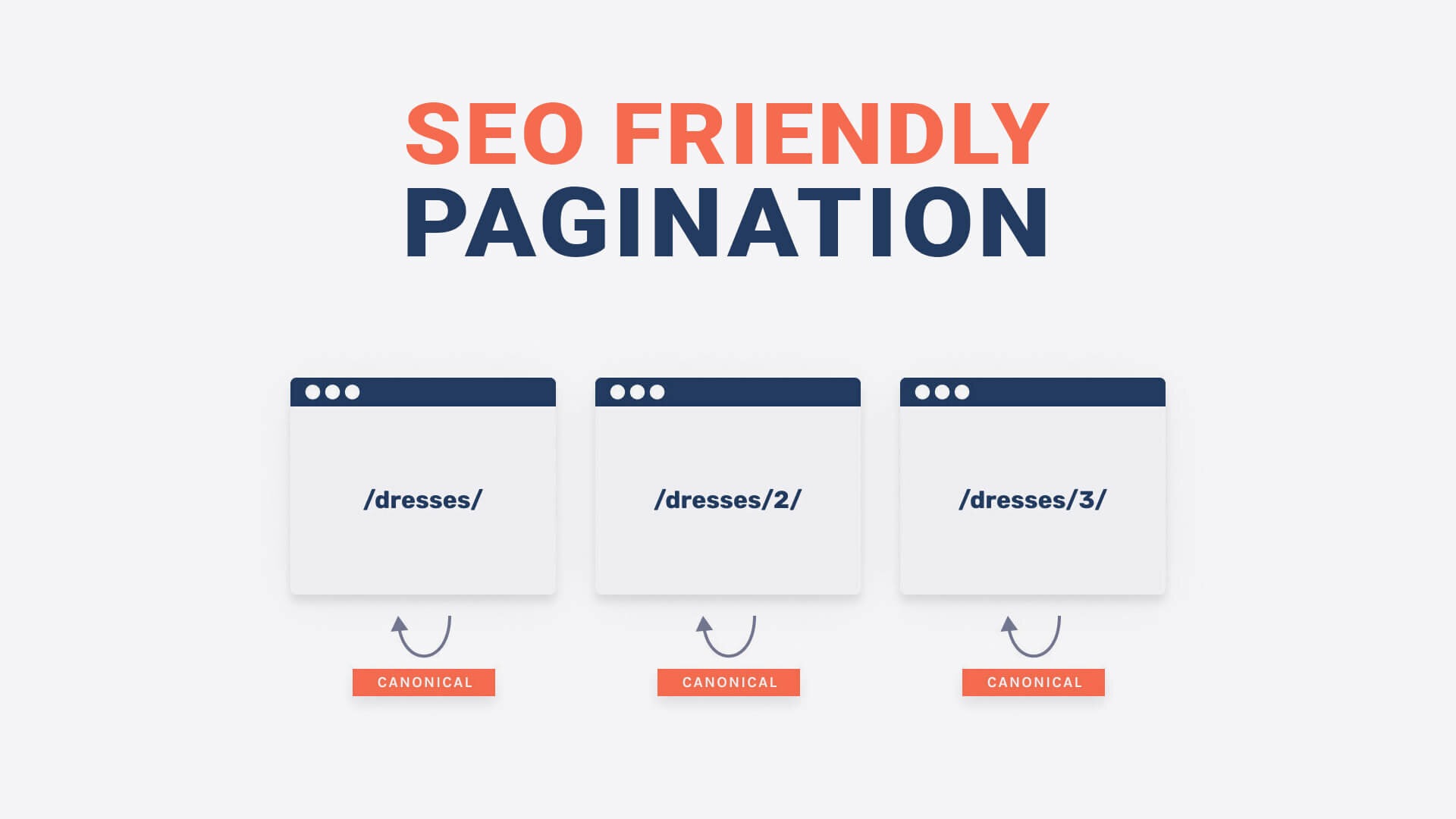
Each paginated page should have a self-referencing canonical tag:
<link rel=”canonical” href=”https://example.com/page/2″>
Don’t canonical all pages to page 1—this confuses search engines and could result in only page 1 being indexed.
- Use View-All Pages (Optional)
If your site can handle loading all content at once without performance issues, you can create a “View All” version. This can be canonicalized and helps search engines crawl everything in one go.
- Consider Load More or Infinite Scroll (With SEO Support)
Some websites replace pagination with infinite scroll or “Load More” buttons. These can be user-friendly, but must be implemented carefully for SEO using structured data and server-side rendering or pre-rendered fallback links.
🧩 Common Pagination SEO Mistakes
- ❌ Canonicalizing all paginated URLs to page 1
- ❌ Noindexing paginated pages
- ❌ Missing internal links to important pages
- ❌ Not providing crawl paths to deep content
- ❌ Relying solely on JavaScript-based infinite scroll without SEO fallbacks
🧪 Pagination SEO vs. Load More: Which is Better?
|
Feature |
Pagination | Load More Button |
|---|---|---|
|
SEO-Friendly |
Yes, if done right |
Only if implemented correctly |
|
User Experience |
Predictable |
Smooth scrolling |
| Crawlability |
Straightforward |
Requires JavaScript handling |
| Analytics Tracking | Easy |
Can be tricky |
Choose based on your site’s needs, but pagination is still the safest choice for SEO unless you’ve got developers to handle infinite scroll properly.
📝 Final Thoughts
Pagination SEO is all about making sure that paginated content gets crawled, indexed, and ranked properly. Done wrong, it can bury important content. Done right, it enhances both user experience and search engine performance.
Whether you’re running a blog, an eCommerce store, or a forum, take the time to audit your paginated pages and implement best practices.
✅ Key Takeaways
- Always index paginated pages.
- Use self-referencing canonicals.
- Provide proper internal linking.
- Avoid SEO pitfalls like over-canonicalization or blocking crawlers.
Want help optimizing your website’s pagination for better SEO? Contact GlobalGenie.com.au — a trusted website design and SEO agency in Australia.
